Monday, November 21, 2005

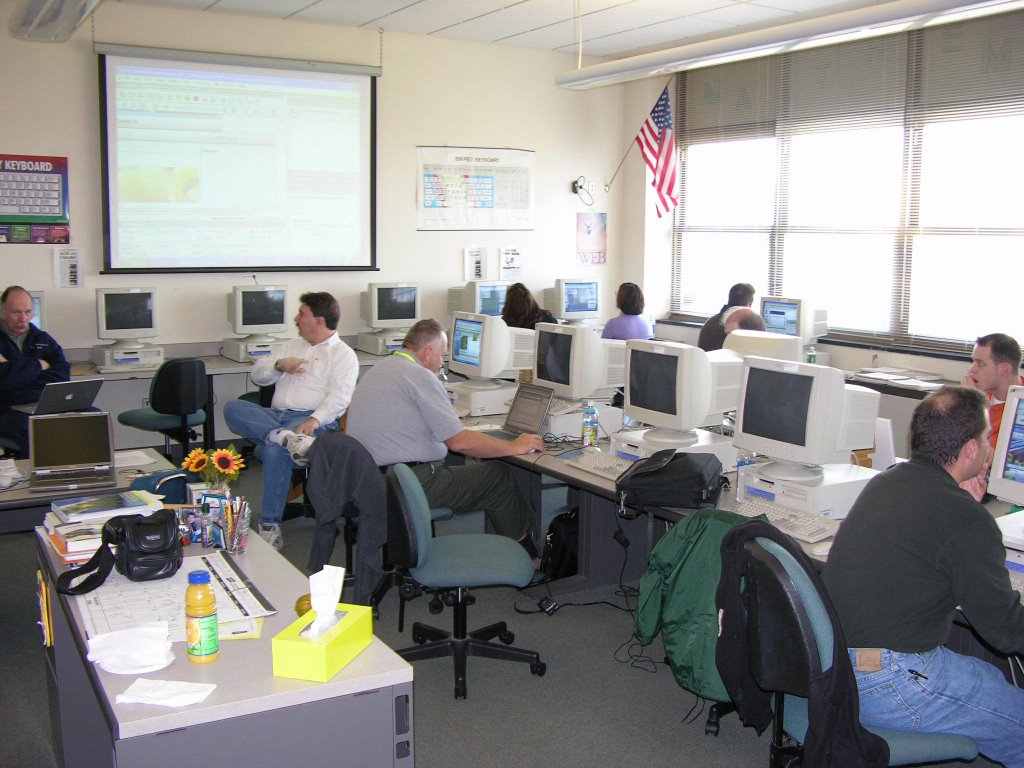
Newbies at NYSCATE Conference


As a strong believer of bridging gap of digital divide, I am so excited to see many new approaches in classroom teaching using technologies or sometimes just those new "babies" at the NYSCATE Conference at Albany.

1. Ms.Linda Brandon from Lakeland CSD, introduced an application of using ipod as a teaching and learning tool with podcasting. Many students have ipod. Why can't they use this device in their learning? This approach is particularly applicable to ESL or language classes. Students can broadcast their own audio files. It is an exciting tool for both teachers and students. However it takes some guts to try in classroom teaching as educator.

2. Some exibitors at the conference show some nice equipments for classroom teaching. One small device is to connect multiple keyboards to one computer. Multiple users use one computer. This setup encourages the co-oporative learning style among students. They can write together, work on the project together. It makes group learning more efficient.

3. Another vendor demonstrates a software which reads highlighted text on the screen. Spelling is part of the program. It features with a dictionary. Web pages and online content can be applied too.

4. "My Access" is an online student essay scoring program. It scores by rubrics aligned with national and state satardards. Teachers can make comments on essays. Data can be collected afterwords. It provides data with great accuracy and convenience to teachers.

Friday, November 11, 2005

NYSCATE 2005 Workshops


The annual conference was held in Albany, New York.
More info

1. Full day workshop (Saturday):
Intermediate Web Design-Dreamweaver and More


a.
Layout/Table/Templates--Basic layout design
http://layouts4free.com
Download the template and unzip the file

b. Cascading Style Sheets--Define your own style
Type:
Background:
Box:
Border:

**
How to align text to flow around an image
Designers often want to have text flow around images on the page. If alignment is not set properly, however, the text can appear on top of or below the images. To create this flowing alignment, you will set the alignment for the image, not the text. The steps below show how to align text to flow to the left side of the image.
Aligning text to flow on the side of an image
Select an image in the Document window. The Property inspector will change to the image Property inspector.
On the Property inspector, click the Align pop-up menu and select Right. (The Align pop-up menu is in the upper-right corner of the Property inspector.)
Click in the Document window on the right side of the image. Type some text. The text will flow from the top of the image and down the image's left side.
View the HTML source code in Code view to see how the align tag appears inside the image tag, as illustrated below:


c. Handling of images/Rollover--Just a little excitement
Behavior--Swap Image
1. Insert an image
2. Click on the image 3. In the Behavior panel, click on + tag. 4. Select Swap image

d. Forms/Jump menu--Add more functions to web pages

e. Pop-up menu

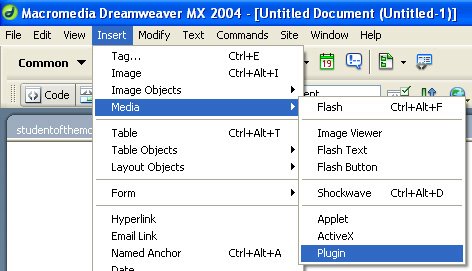
f. Plug-in(audio/video)--Let's enjoy some music and video
-Link to a URL
-Link to a media file locally


Setup parameters of media

g. Dynamic pages--Fancy new tricks to make your pages alive
http://www.dynamicdrive.com


h. FTP--Upload and publish
http://www.aspwebserver.com (NO BANNERS)
http://www.250m.com (AD BANNERS)

i. Intro of server-side application--Just a taste

j. *Use of blog--New trend?

Macromedia for educators
http://www.macromedia.com/resources/education/


2. Full day workshop (Sunday):
Photoshop for Class Projects (more)

a. Text/Style--Manipulate the fonts/text with special effects
Styles, image background, chrome types

b. Layers--Essential element to create collage

c. Animation/ImageReady--Animate the graphics for web
Sample lessons

d. Transparent image--Short cut to match background colors

e. New tools in Photoshop CS--New tricks
Photomerge, heeling tool

f. Automate--Let the program to work for you.
Create a photo album--Easy job with just a few clicks.

**Bring some digital images.


Adobe Tips and tutorial
http://studio.adobe.com/us/search/main.jsp

Adobe for educators
http://www.adobe.com/education/main.html


Friday, November 04, 2005

School PD

A joke from "computerjokes.net"

Tech Support: "I need you to right-click on the Desktop."
Customer: "Ok."
Tech Support: "Did you get a pop-up menu?"
Customer: "No."
Tech Support: "Ok. Right click again. Do you see a pop-up menu?"
Customer: "No."
Tech Support: "Ok, sir. Can you tell me what you have done up until this point?"
Customer: "Sure, you told me to write 'click' and I wrote click'."

1. Use of scanner
--Scanning image with Photoshop
File-->Import-->Twain Source
Advance panel:
Select: color photo, 200-300 dpi for resolution
Preview to select the scanning area
Scan
Close the scanning panel
Work with Photoshop

--Scanning text with MS Word
File-->Textbridge
Select scanner as document source and b/w text


2. Use of Projector with notebook
Fn key with F8 key to synchronize the projector

3. Online Homework
Teachers' pages are posted at teachers' section of school site


4. Other resources
PBS: resources
http://www.pbs.org/teachersource/

Teachersnetwork: teaching resources
http://www.teachersnetwork.org/

thinkquest: student online projects
http://www.tqnyc.org/


You Know You're Too Hi-Tech If ...
-- You haven't played solitaire with a real deck of cards in years.
-- You have a list of 15 phone numbers to reach your family of 3.
--You call your son's beeper to let him know that it is time to eat. He emails you back from his bedroom, "What's for dinner?"
-- Your daughter sells Girl Scout Cookies via her web site.
-- You chat several times a day with someone from South Africa, but you haven't spoken with your next door neighbor yet this year.
-- Your daughter just bought a single CD of all the records your college roommate used to play.
-- Your grandmother clogs up your email inbox asking you to send her a JPEG file of your newborn so she can create a screen saver.
-- You buy a computer and a week later it is out of date and now sells for half the price you paid.
-- The concept of using real money, instead of credit or debit, to make a purchase is foreign to you.
-- You consider second-day air delivery painfully slow.
-- Your reason for not staying in touch with family is that they do not have email addresses.
-- You hear most of your jokes via email instead of in person.
-- You've printed this out and are reading it in the "library."